Introducing Server Projects
A new project type made for seamless modded multiplayer on Modrinth.
Posted on March 2, 2026 josh11
 truman1
 aecsocket
Big news: we’re shipping our first new project type in years!
Server Projects are coming to Modrinth, and they’re not just a typical server list. They’re deeply integrated into the platform and app in ways that make playing seamless.
We genuinely believe modded is the future of large-scale multiplayer Minecraft, so let's jump in!
TL;DR
- New Server Project type
- Three compatibility types: vanilla, modded (published pack), or modded (uploaded pack)
- Joining a server from the app downloads the required content and launches you directly into the server
- New linked server instance type that receives updates from the server
- Server Projects are not eligible for payouts
Design Goals
Let’s start with why we built this.
Most of the fun in Minecraft happens with other people, but getting into a modded multiplayer experience is still harder than it should be. We think this is the future of multiplayer for a few reasons:
- Modding enables far deeper experiences than server-side plugins ever will.
- The real constraint has been distribution and setup. Players have to find the server, install the right content, keep it updated, and hope everything matches.
- Multiplayer discovery in Minecraft has never been great. It should be easier to join a server, and just as easy to join a modded one.
Additionally, modpack discovery has become noisy on Modrinth. Servers fork popular packs with small tweaks and climb discovery, which crowds out original creators.
Project Creation
Server Projects are different from other project types because they don’t always have uploaded files. Instead, servers define their compatibility, which can include specifying any required content.
For the initial release, we support two compatibility models: vanilla and required modpack. We also have ideas to expand this with a minimum requirements model in the future. Authors would define the required mod and version needed to join and could recommend modpacks that work as well.
When setting up your server project, you define this in the Server Compatibility section. It comes in three types:
- Vanilla server
- Modded server (published Modrinth pack)
- Modded server (uploaded custom pack)
Each type defines different requirements to join. Vanilla servers specify supported and recommended Minecraft versions. Modded servers either link a Modrinth pack or upload a custom pack, which enforces the required version and mod loader.
Server Projects also introduce some new fields used for discovery and project pages:
- Banner
- Country (where it is hosted)
- Language
- Java address
- Bedrock address (not used yet)
- Server compatibility
Additionally, Server Projects are the only project type not eligible for payouts. They do not earn revenue from views or downloads on the project itself. Any required content they point to, such as a modpack, receives the download and associated revenue.
Project Discovery
Server Projects use two new discovery metrics instead of downloads to help surface new servers over time. These are:
- Players online: The live player count reported by the server.
- Verified plays: Joins from the Modrinth App in the last two weeks.
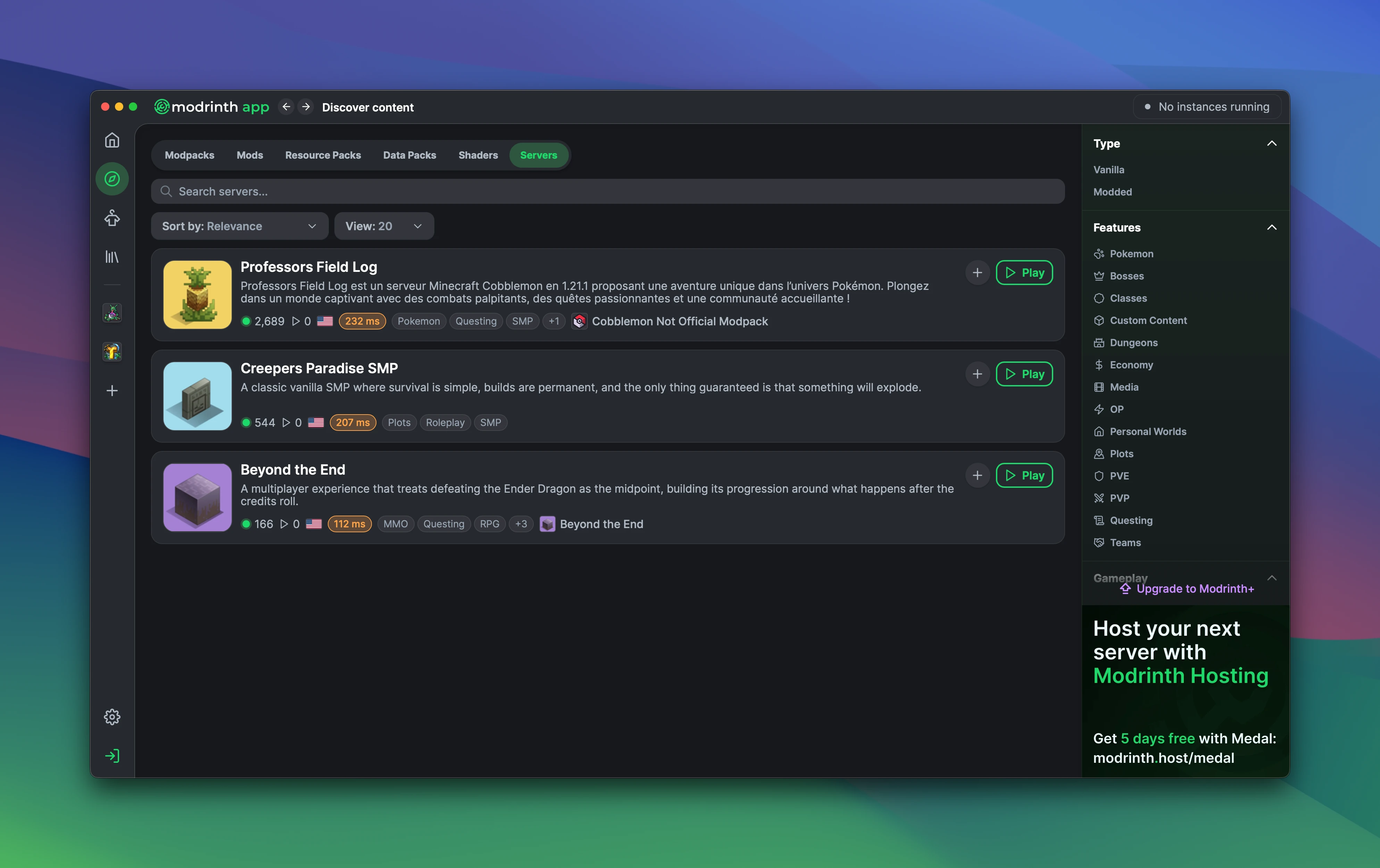
Server Projects also have their own set of filters to make finding the right server easier:
- Type (vanilla vs modded)
- Features
- Gameplay
- Meta
- Community
- Game version
- Country
- Language
Additionally, Server Projects are different from other project types because they’re live experiences. If they aren’t joinable, they don’t provide value. To keep discovery healthy, servers that aren’t pingable for a sustained period are removed from discovery.
Joining a Server
Joining a server is where this all comes together. While in the app, clicking play on a server triggers different flows depending on the server type:
- Vanilla servers immediately create a Fabric instance in the app using the recommended version set by the author.
- Modded servers show a modal which displays the required content. Clicking install creates an instance with that content.
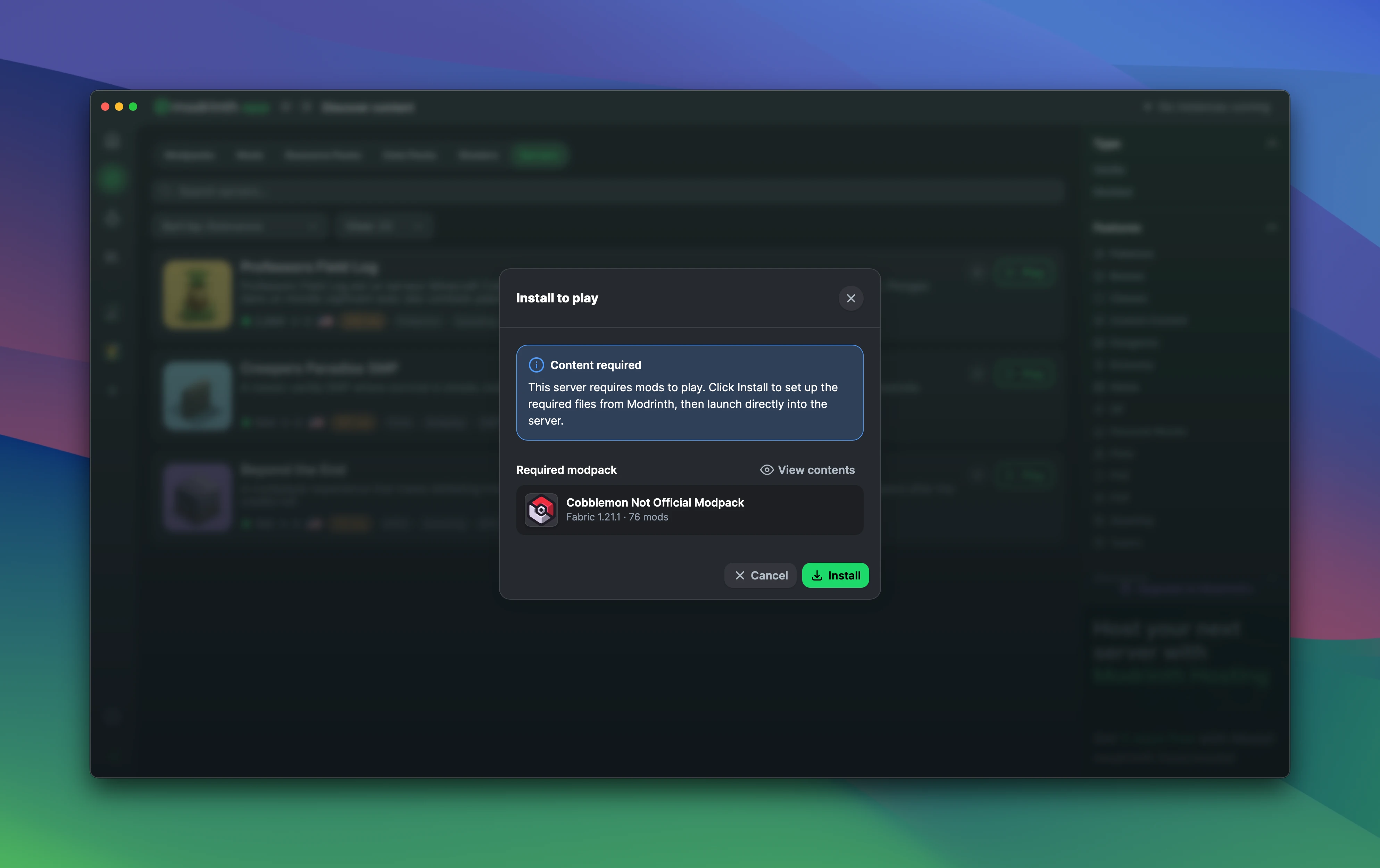
Once installation finishes, you’ll see a completion toast that, when clicked, skips the multiplayer screen and loads you directly into the server. After the initial setup, clicking play always boots straight into the server.
Additionally, if you click play from the website, we’ll deep link into the app if it’s installed.
Linked Server Instances
As mentioned earlier, joining a server creates an instance. These are called linked server instances and are similar to linked modpack instances.
Key differences:
- It’s linked to a server project, not a modpack project.
- You can only add client-side mods. You can unlink it in settings to convert it into a linked modpack instance, but it will stop receiving server updates.
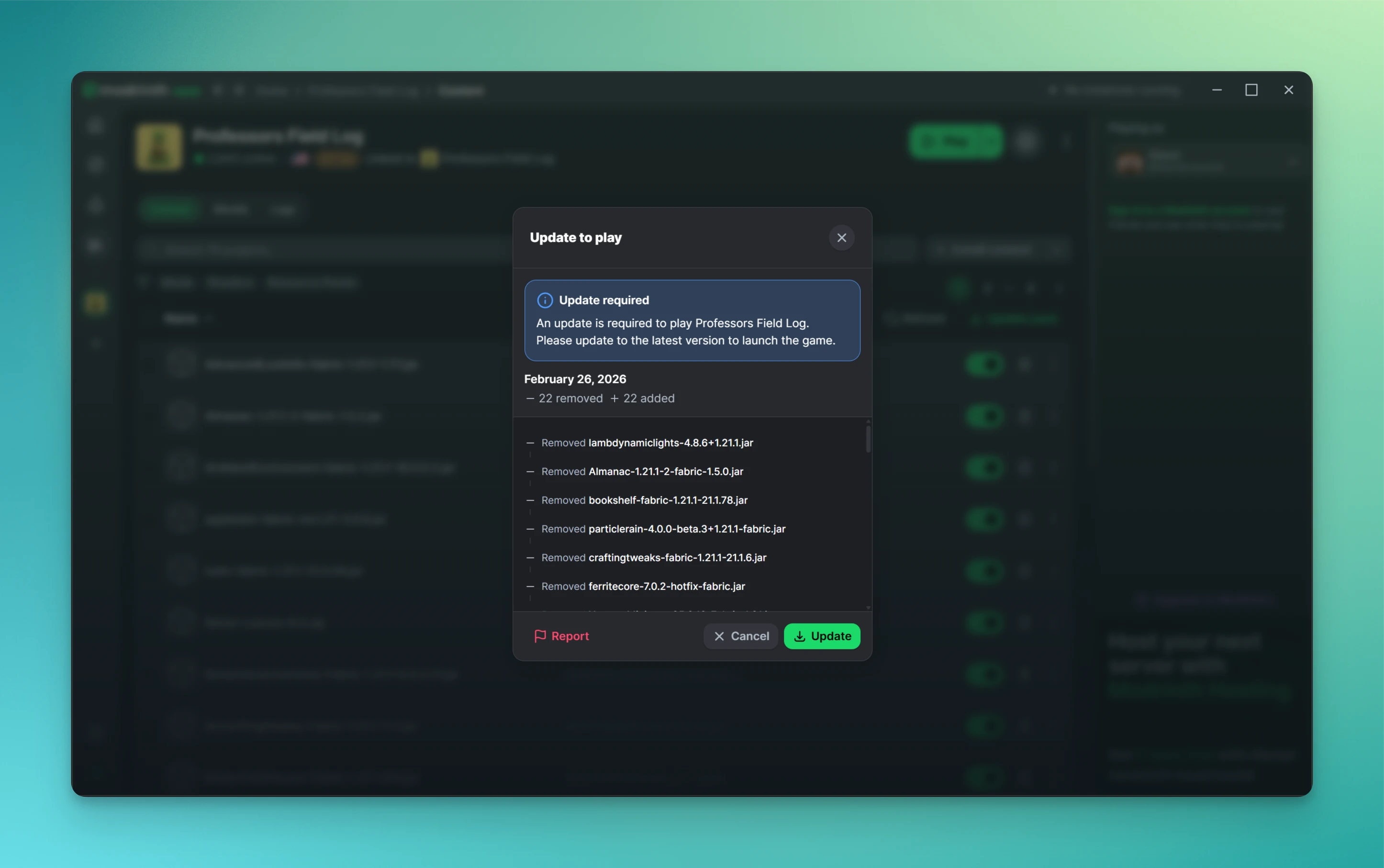
- It always enforces the required version. If an update is available, you must accept it before launching again.
Server Project Updates
When a server updates its compatibility, such as publishing a new modpack version, that update is distributed to all linked instances. The next time a player launches, they’re prompted to accept the changes before joining. This keeps the server and associated instances in sync.
—
That’s all from us! Thank you so much for your continued support and happy playing!